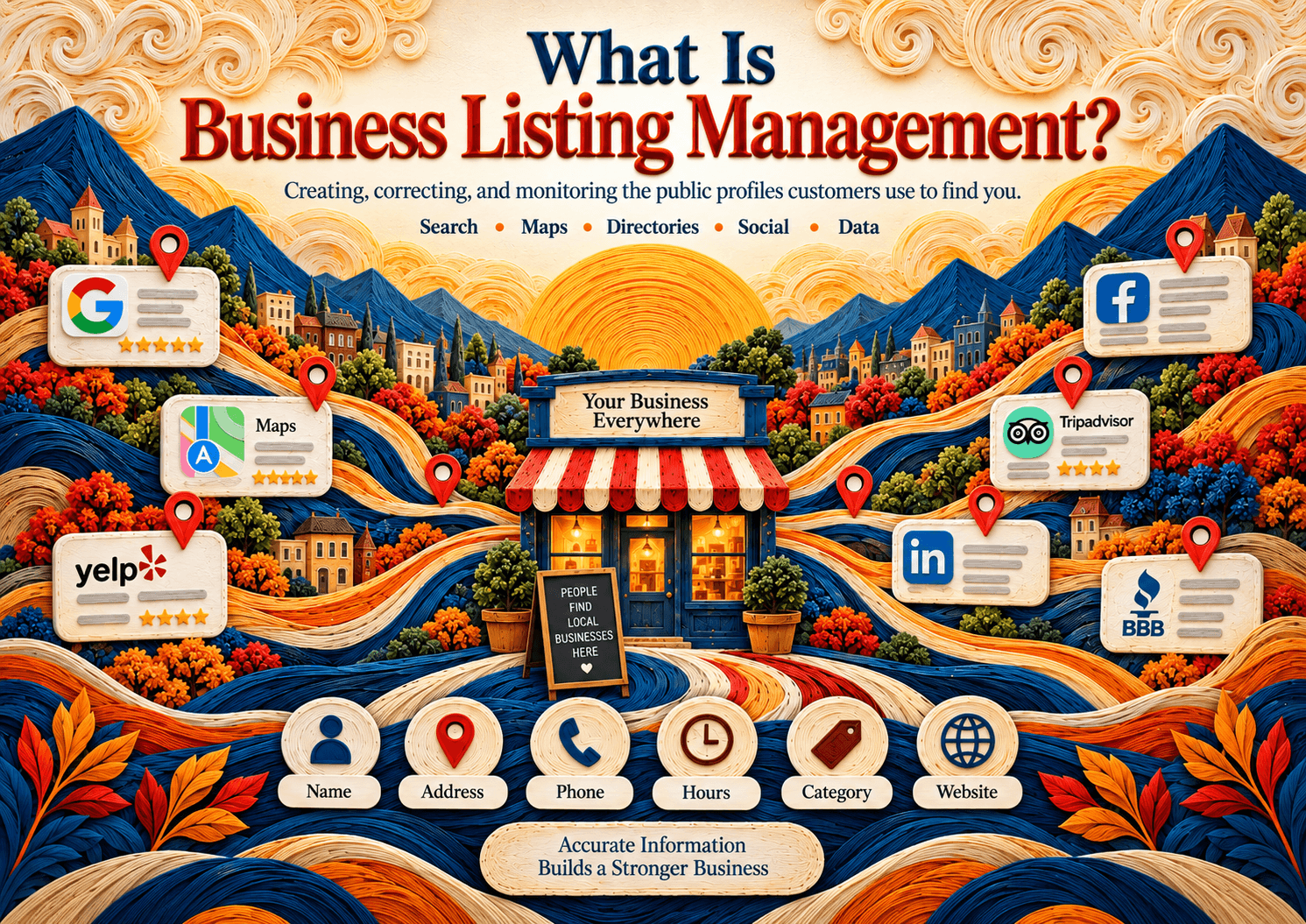
Business listing management is the ongoing work of creating, claiming, updating, and monitoring a company's public location profiles so name, address, phone, hours, categories, website, and attributes stay accurate across Google, maps, directories, and other discovery surfaces. It is broader than Google Business Profile alone: customers can meet the same location facts on Apple Maps, Bing, Yelp, social profiles, and downstream point-of-interest feeds.
For a single-location business, that may mean keeping a manageable set of important profiles accurate. For a national retailer, franchise, healthcare group, restaurant chain, or service brand, the same job becomes a location-data operation involving hundreds or thousands of profiles, ownership permissions, temporary changes, and platform-specific fields.
The important point is that business listing management is not simply the act of creating a Google Business Profile. Google is one major destination, but customers can encounter location information through Apple Maps, Bing, Yelp, social platforms, navigation products, directories, and services that license or ingest point-of-interest data. For the Google lane specifically, see Google My Business management and GMB management services. For the full operating guide, see Business Listing Management Guide. For the local-search angle of the same work, see What is local listing management?. For an ops checklist, the boundary with local SEO, and a NAP deep dive, see the sibling articles linked throughout this page. Browse related resources from the listings management topic hub.
Google itself allows verified businesses to maintain location, phone, website, hours, categories, attributes, photos, and other information shown across Google Search and Maps. Google's guidelines for representing your business on Google spell out how names, addresses, hours, and categories should match the real-world business. Operators also use Google's Help for editing business hours (including special hours) and managing business categories.
What is business listing management?
Business listing management is the ongoing process of establishing, correcting, updating, and monitoring the public profiles that describe a business or business location online. The objective is simple: each platform should receive an accurate representation of the real business, while each location remains distinct enough to reflect its own address, phone number, operating hours, categories, services, and attributes.
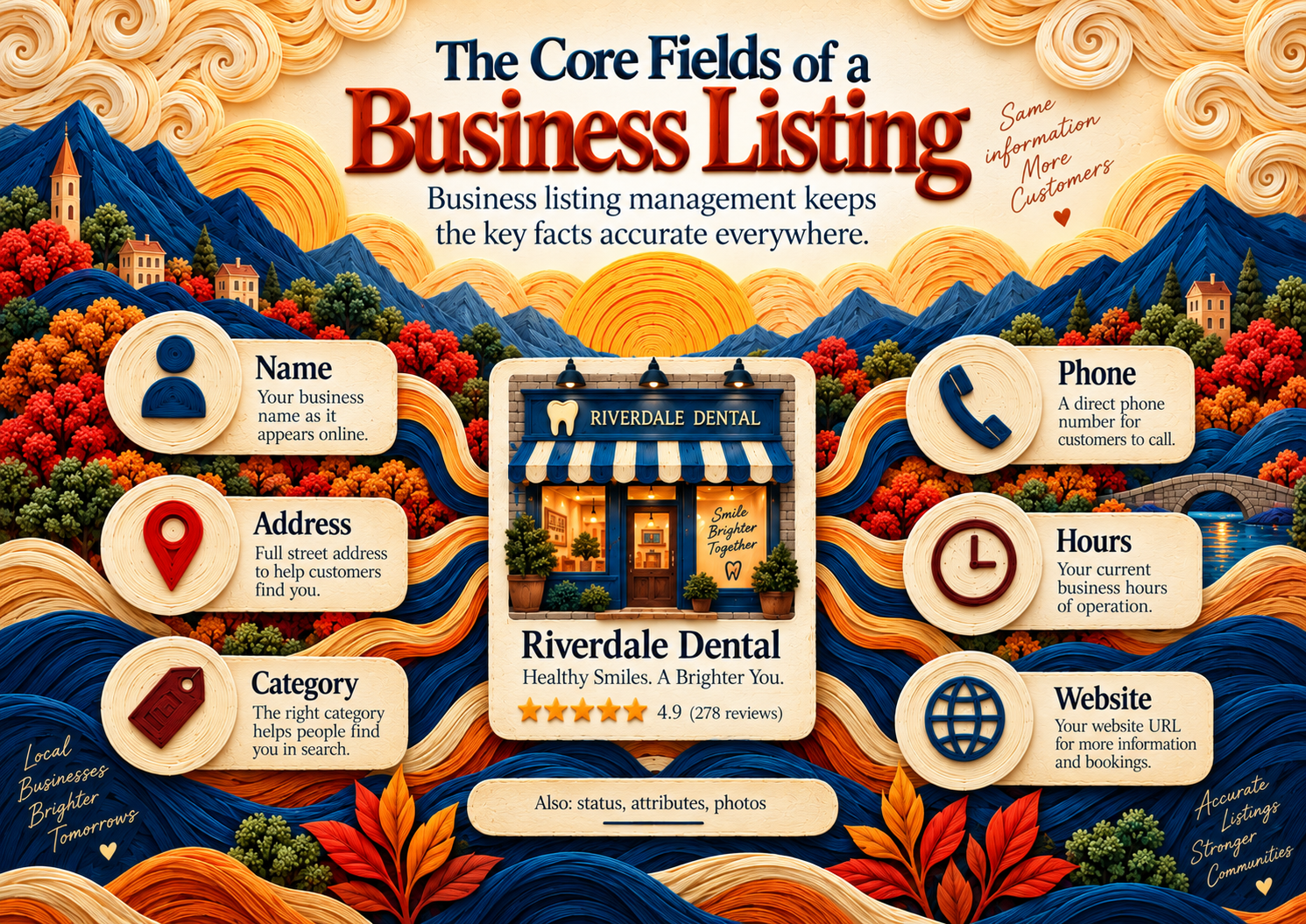
That definition matters because listing management is sometimes reduced to "NAP consistency." NAP, meaning name, address, and phone number, is an important foundation, but modern business profiles usually contain much more information. For a field-by-field NAP deep dive, see NAP consistency in business listing management.
Google, for example, asks businesses to use their real-world business name, an accurate address or service area, appropriate customer-facing hours, and categories that genuinely describe the business. Google also supports additional attributes such as accessibility, amenities, and payment-related information depending on the business category.
Apple's location profiles similarly support business categories, phone numbers, websites, operating hours, location status, photos, and other place-card information.
A simple NAP example
Consider a hypothetical US dental practice:
| Field | Canonical location information |
|---|---|
| Business name | Lakeside Dental Group |
| Address | 410 Westlake Ave, Austin, TX 78701 |
| Phone | (512) 555-0148 |
| Regular hours | Monday to Friday, 8:00 AM to 5:00 PM |
| Primary category | Dentist |
| Website | Location-specific page on the official website |
If the practice moves, changes its main phone number, closes for Thanksgiving, or changes Monday hours, business listing management is the process that makes sure those changes are reflected on the relevant public profiles.
The goal is not cosmetic uniformity. Different platforms have different taxonomies, formatting rules, eligibility requirements, and available attributes. The operational goal is consistent facts, not forcing every interface to display identical text.
For example, Google's guidelines specifically tell businesses to represent their real-world name accurately and place information such as addresses, service areas, hours, and categories in their respective fields rather than stuffing them into the business name.
What business listing management is not
Clarity improves when the definition excludes nearby ideas:
| Nearby idea | How it differs from business listing management |
|---|---|
| Creating one Google Business Profile | A useful first step, not the full discipline across maps, directories, social profiles, and POI feeds |
| Local SEO as a whole | Local SEO also covers on-page location content, links, reviews strategy, and ranking tactics; listing management is the structured location-data lane — see Business listing management vs local SEO |
| Citation building as a growth hack | Submitting to every directory is not the same as governing accurate profiles that customers actually use |
| Review generation | Reviews often sit next to listings work, but star ratings and response workflows are a related reputation discipline |
| Paid local ads | Ads may use location extensions; they do not replace owning and correcting organic profiles |
Keeping those boundaries explicit helps teams staff and measure the right job.
What does business listing management include?
A useful operating definition lists the work packages, not just the buzzwords. Business listing management typically includes five interlocking packages: NAP and identity fields, hours and status, categories and attributes, duplicate and coverage control, and ongoing verification after changes publish.
1. NAP and identity fields
Name, address, and phone remain the foundation because customers and platforms use them to decide whether two records describe the same place. Identity work also includes the customer-facing website URL, suite or unit detail, service-area language when there is no storefront, and map pin or coordinates when the platform exposes them.
Good NAP practice prefers one approved string per field per location, with documented exceptions for platforms that truncate, reformat, or require different address syntax. It does not mean inventing a "SEO name" that differs from the sign on the door. Google's representation guidelines are explicit that the name should match the real-world business.
2. Hours and business status
Hours are where listing programs often fail even when the address is correct. Regular weekly hours, holiday or special hours, temporary closures, permanent closures, and reopenings all change what a customer should expect. Google documents how to edit business hours, including special hours. Apple and Yelp likewise separate normal hours from temporary or date-specific schedules.
Status fields matter as much as the clock: open, temporarily closed, permanently closed, or coming soon. A relocation that leaves the old pin marked open creates a customer failure even if the new location is perfect.
3. Categories, services, and attributes
Primary category selection shapes how platforms classify the location. Secondary categories and service lists add precision without turning the profile into keyword stuffing. Attributes — accessibility, amenities, payment options, and similar flags — help customers decide before they visit. Available attributes depend on platform and category; the operational rule is to complete fields that are true and useful, not to chase an arbitrary completeness score.
4. Duplicates, mergers, and coverage
Duplicate profiles appear when platforms, users, or prior agencies create overlapping records for the same place. Coverage gaps appear when an important platform has no owned profile, or when a location never received a claim. Business listing management includes finding both problems, deciding which record is canonical, requesting merges or suppressions where the platform allows it, and documenting what remains unresolved.
Coverage should be intentional. A US multi-location brand usually prioritizes Google, Apple, Bing, major discovery directories relevant to the industry, and any social profiles that expose NAP or hours. It does not need every obscure directory on the internet.
5. Verification that changes actually published
Submitting an edit is not the same as seeing the correct public result. Programs that stop at "sent to publisher" accumulate silent failures: rejected edits, pending reviews, mismatched pins, and stale holiday hours. Verification closes the loop — especially after openings, moves, rebrands, and holiday calendar pushes.
For a step-by-step ops sequence you can run with a spreadsheet or a platform, use the business listing management checklist.
Which listings does business listing management cover beyond Google?
Business listing management can cover any public or downstream data surface where customers may encounter a company's location information. For a US business, that usually means four broad classes: search and map profiles, directory and discovery sites, social business profiles, and location-data providers whose point-of-interest information can feed other products or applications.

Google Business Profile is therefore part of the system, not the whole system.
1. Search and map platforms
These are the most obvious location profiles because they can appear when someone searches for a brand, category, address, or nearby service.
Examples include:
- Google Search and Google Maps
- Apple Maps and Apple's place cards
- Bing Search and Bing Maps
Google states that a verified Business Profile lets businesses manage information shown on Search and Maps.
Microsoft similarly directs businesses to Bing Places for Business when they need to add or change information displayed in Bing Maps search results.
Apple allows organizations to create or claim individual locations and maintain details including categories, phone numbers, websites, location status, and hours. Apple's docs on configuring location attributes and place cards cover the customer-facing fields that appear across Maps and related Apple surfaces.
2. Directory and discovery platforms
A directory profile is another structured representation of a business. The exact information available varies by platform and industry.
Yelp's own listing-management documentation, for example, identifies business name, address, phone number, website, photos, hours, closures, service areas, and other business attributes as data that approved listing-management partners can update through its APIs.
Industry-specific directories can also matter. A healthcare provider, attorney, restaurant, home-services company, hotel, or automotive dealer may have important profiles on platforms used specifically within that category.
Business listing management therefore should not mean "submit the business to every directory that exists." A better approach is to determine which profiles are genuinely relevant to the business, its market, its industry, and the ways customers discover it.
3. Social business profiles
Business information can also appear within social platforms. Facebook Pages and Instagram professional accounts may function as customer-facing discovery and communication surfaces even though their primary purpose is broader than local search.
Meta provides businesses with tools for managing Facebook Pages and linked Instagram accounts through Meta Business Suite, while Facebook Page access includes control over Page information and settings.
For listing operations, the practical question is whether a social profile exposes customer-facing information that must stay synchronized with the business's current reality.
4. Location-data and point-of-interest providers
Some location data exists one layer behind the profiles consumers directly recognize.
Foursquare, for example, maintains a large Places dataset containing point-of-interest information such as business names, coordinates, addresses, categories, chains, and other location attributes. It says its data is assembled and maintained using human, software, and third-party verification processes.
This class is sometimes loosely described as data aggregators, although individual providers have different business models and distribution relationships.
That distinction matters because a location record does not always live only on the website where a business originally entered it. Location information can move through APIs, datasets, licensing arrangements, partner integrations, user contributions, and publisher-specific systems.
The four classes at a glance
| Listing class | Examples | Typical information to manage | Primary operational concern |
|---|---|---|---|
| Search and maps | Google, Apple, Bing | Name, address, phone, hours, categories, website, map location | Correct customer-facing location facts |
| Directories and discovery | Yelp and relevant industry directories | NAP, hours, attributes, services, photos, closures | Accuracy on places customers research businesses |
| Social profiles | Facebook Pages, Instagram professional accounts | Contact details, business information, links | Avoid conflicting customer-facing information |
| Location-data providers | Foursquare and other POI-data systems | Address, coordinates, categories, identity, status | Understand how location data may propagate downstream |
A business does not need to treat every platform as equally important. It does need to understand where its information exists and which records deserve active management.
Is business listing management the same as local listing management?
Business listing management and local listing management describe heavily overlapping work, and most businesses should treat them as related searcher language rather than entirely separate operating disciplines. Both involve maintaining public business-location information across search engines, maps, directories, and discovery platforms. The difference is usually emphasis: "local listing management" more explicitly frames the task around local discovery and location-based search.
That distinction is useful for content architecture, but it should not create an artificial operational boundary.
A company searching for an online business listing management process may want help maintaining its public business profiles. Someone searching for local listing management may be thinking more specifically about Maps visibility, local search, citations, or Google Business Profile.
The underlying data may still be the same:
- Business name
- Street address or service area
- Phone number
- Website
- Regular operating hours
- Holiday or special hours
- Primary and secondary categories
- Business status
- Location coordinates or map pin
- Services or service-related attributes
- Accessibility and amenity information
- Photos and brand assets
For editorial and operational purposes, a useful distinction is:
- Business listing management asks whether the company's public location facts are correctly represented wherever customers encounter them.
- Local listing management applies that same work specifically to location-based discovery and local-search environments.
That is a practical distinction, not a claim that the industry has formally standardized the two terms.
This page therefore focuses on the broader business listing management concept rather than duplicating a Google-centric or local-SEO-specific guide. For the local-discovery framing, read What is local listing management?. For the multi-location operating model, use the Business Listing Management Guide. More resources live on the listings management topic hub.
Why does business listing management matter?
Business listing management matters because customers make visit, call, and purchase decisions from public location facts — and those facts can disagree across platforms even when the company's website is correct. The discipline reduces avoidable friction: wrong hours, wrong pins, outdated phones, duplicate places, and closed locations that still look open.
Customer trust and trip completion
When a map card says a clinic closes at 6:00 PM and the door locked at 5:00 PM, the failure is operational, not aesthetic. Accurate hours, status, and phone numbers reduce wasted trips and support-call volume. Categories and attributes help the right customer self-select before they arrive.
Operational control for multi-location brands
As location count grows, listing work stops being a one-time marketing setup and becomes a recurring operations process. Holiday calendars, store openings, rebrands, phone-system changes, and franchisee edits all create drift unless someone owns a source of truth and a publish-and-verify loop.
Discovery surfaces beyond a single channel
Customers do not only meet a brand on Google. Apple Maps, Bing, industry directories, navigation products, and social place cards can all display conflicting facts. Managing only one channel leaves the others free to contradict the brand.
Relationship to local search quality signals
Google's tips to improve your local ranking on Google emphasize complete, accurate Business Profile information among other factors. Accurate listings support how a location can appear and be understood; they are not a guaranteed ranking formula, and this page does not invent lift percentages. Treat accuracy as table stakes for local presence, then measure outcomes with your own branded and category search monitoring.
Evidence container: what teams usually observe when listings drift
Independent operators commonly report patterns like these when public profiles diverge from reality (qualitative, not a universal ranking claim):
| Drift pattern | Typical customer-facing symptom | Listing-management response |
|---|---|---|
| Stale holiday hours | "Open now" when the location is closed | Special-hours workflow + public verify |
| Wrong phone after PBX change | Missed calls, wrong department | Canonical phone update across priority publishers |
| Unclaimed or duplicate GBP | Split reviews, competing pins | Ownership + merge/suppress process |
| Old address after relocation | Customers at empty storefront | Migration workflow; old location status handled |
| Category mismatch | Wrong intent traffic | Category governance by location type |
Why do US businesses pay for business listing management?
US businesses pay for business listing management because maintaining location information becomes operational work once the same facts exist on multiple independent platforms. The value is primarily control, efficiency, and repeatability: someone needs to claim profiles, maintain access, distribute approved changes, handle exceptions, identify stale records, and confirm that important updates actually appear where customers see them.
The complexity becomes easier to understand when something changes.
Suppose a restaurant changes its Sunday closing time.
The change may need to be reflected on its website, Google profile, Apple place card, Bing listing, Yelp page, social profiles, reservation services, and relevant restaurant directories.
Now suppose a national restaurant brand changes Thanksgiving hours differently across 280 locations.
The task is no longer a simple marketing edit. It is a location-data workflow.
Google explicitly supports regular hours and special hours for holidays or temporary changes (see Edit your business hours). Apple likewise distinguishes normal operating hours from temporary or service-specific hours. Yelp provides separate controls for special operating hours on specific dates. Accurate hours and categories also support how a location can appear in local results; Google's Tips to improve your local ranking on Google stresses complete, accurate Business Profile information without promising a fixed ranking lift.
The business case for a business listing management service or internal listings operation is therefore strongest when the organization has:
- Multiple physical locations
- Frequent operating-hour changes
- Openings, relocations, or closures
- Separate phone numbers by location
- Complex category or service differences
- Local managers making profile edits
- Many platform credentials and ownership relationships
- Industry-specific directory requirements
- A need to document whether updates were actually published
A small business with one stable location may be perfectly capable of handling the job manually.
A multi-location brand may decide that a spreadsheet plus dozens of independent logins creates too much operational friction.
Neither choice is inherently better. The appropriate process depends on the number of locations, number of important publishers, frequency of change, and level of control the organization requires. Managed Google work is covered separately under GMB management services.
Business listing management company vs software
Teams often ask whether they need software, a managed company (agency or listing desk), or both. The honest answer depends on who owns the source data, who handles exceptions, and how often facts change — not on a vendor's publisher-count marketing slide.
| Decision factor | Software-led model | Company / managed-service model |
|---|---|---|
| Best when | You have internal owners for data, permissions, and exception queues | You lack bandwidth for publisher support, verifications, and cleanup |
| Core strength | Repeatable distribution, audits, permissions, bulk changes | People who chase rejects, duplicates, and edge-case publishers |
| Main risk | Bad source data distributed quickly | Dependency on the vendor's process and account ownership |
| Exit question | Can you export locations and retain publisher access? | Who owns the logins after cancellation? |
| Overlap | Many brands use software plus a thin internal or agency desk | Many services run on top of a platform |
For a dedicated buyer framing of this tradeoff, read Local listing management company vs software. This definition page stays at the conceptual level: software is a distribution and control system; a company is an operating team; neither replaces a trustworthy first-party location database.
What does a basic vs multi-location business listing management program include?
A basic business listing management program establishes accurate profiles for one or a few locations and keeps important information current. A multi-location program adds governance, structured location data, bulk-change processes, permissions, exception handling, opening and closure workflows, and reporting so the same standards can be applied reliably across many locations without treating every edit as a one-off task.
The data fields may look similar in both programs. The operating model is what changes.
| Capability | Basic program | Multi-location program |
|---|---|---|
| Canonical business data | One master record per location | Central location database with unique store or location IDs |
| Core profiles | Claim and maintain priority listings | Portfolio-wide ownership and publisher coverage |
| NAP maintenance | Manual review when details change | Controlled bulk updates with location-level exceptions |
| Hours | Regular and holiday updates | National calendar plus store-specific overrides |
| Categories | Selected per profile | Category governance across location types |
| Attributes | Maintain important customer information | Standard attribute policy plus local variations |
| New locations | Create profiles as needed | Repeatable pre-opening workflow |
| Relocations | Update profiles individually | Migration process with old-location handling |
| Closures | Mark the business correctly | Temporary and permanent closure workflow |
| Access | Owner or small team | Corporate, agency, regional, and local permissions |
| Quality control | Periodic manual checks | Exception queues, audits, and change logs |
| Reporting | Basic presence check | Portfolio-level and location-level completion tracking |
Google supports bulk management for eligible organizations through Business Profile workflows, including location-specific fields such as store codes, categories, and hours.
Apple also treats locations as distinct entities associated with a brand and supports internal location codes and organization-level management.
What information should have a single source of truth?
A multi-location organization needs one approved location record that answers, without hunting through directories, what the correct facts are for a given store or site right now. That source of truth should hold the customer-facing name, address, phone, hours, categories, status, and other fields the brand intends every publisher to reflect.
At minimum, the organization's master location record should usually contain:
- Official business name
- Full address and relevant suite information
- Latitude and longitude where appropriate
- Main customer-facing phone number
- Location webpage
- Regular hours
- Holiday and temporary hours
- Business status
- Primary business category
- Relevant secondary categories
- Services or departments
- Important location attributes
- Opening date if applicable
- Internal location ID
- Ownership or escalation contacts
The exact schema should fit the business. A hotel, medical network, bank, restaurant chain, and home-services company will not need identical fields.
Research angle: where source-of-truth failures usually start
In practice, listing drift rarely begins on a directory. It begins upstream:
- CRM or POS is wrong — the phone number or suite was never updated after a move.
- Franchisee invents a name — a local marketing nickname differs from the brand standard.
- Holiday calendar lives in email — special hours never enter the location database.
- Agency edits publishers first — the master record stays stale, so the next sync reintroduces the error.
- Two "sources of truth" — marketing and operations keep separate spreadsheets that disagree.
Fixing publishers without fixing the upstream record is temporary theater. That is why this definition page treats the source of truth as part of business listing management, not as a separate IT project.
How to evaluate a business listing management approach
Whether you evaluate software, a managed desk, or an internal process, use operating questions instead of feature theater.
Evaluation checklist (honest criteria)
| Criterion | What "good" looks like | Red flag |
|---|---|---|
| Source data | You can define and export the canonical location record | Vendor-only data lock-in with no export |
| Publisher coverage | Priority publishers for your industry are in scope | Vanity publisher counts with irrelevant sites |
| Change workflow | Submitted vs accepted vs published vs rejected is visible | "We sent it" with no public verify |
| Permissions | Corporate vs local roles are documented | Shared personal logins |
| Openings / moves / closures | Documented playbooks exist | Ad-hoc ticket every time |
| Duplicates | Clear escalation path | "Not in scope" for merges |
| Hours at scale | Holiday calendars with location exceptions | Manual one-by-one only at large footprint |
| Reporting | Exception queues you can act on | Vanity dashboards with no owners |
| Exit | You retain publisher ownership after cancel | Profiles trapped under vendor emails |
For software shortlists and buying comparisons, use Best local and business listing management software, Local listing management software compared, and Yext alternatives. This page does not rank vendors.
When tools help vs when people help
Business listing management tools become useful when the cost and risk of updating publishers individually exceed the complexity of operating another system. That point may arrive because of location count, publisher count, update frequency, or internal governance.
Software can be useful for:
- Managing many locations from one interface
- Sending changes to multiple supported publishers
- Keeping an auditable location database
- Finding incomplete or conflicting records
- Controlling permissions
- Scheduling or coordinating hour changes
- Tracking publisher status
- Reviewing exceptions
- Supporting bulk opening, relocation, or closure workflows
A tool also does not eliminate the need for source data governance. If the canonical address or holiday schedule entered into the system is wrong, faster distribution simply moves the wrong information faster.
A managed business listing management service may be useful when the business does not want its own employees handling publisher support, verification problems, duplicate profiles, rejected changes, ownership disputes, and exception queues. The tradeoff is control — especially account ownership and exit terms.
How should a business listing management workflow run?
A reliable business listing management workflow begins with approved first-party location data, compares that source against important public profiles, corrects material differences, verifies that changes publish, and then monitors for future changes. For multi-location brands, the same sequence should become a repeatable operating procedure for openings, relocations, closures, holiday hours, phone changes, categories, and other location-level updates.
Step 1: Define the canonical location record
Do not begin with a directory.
Begin with the company's own approved data.
For each location, decide what the correct customer-facing name, address, phone number, URL, hours, category, status, and other important attributes should be.
This becomes the reference point against which listings are evaluated.
Step 2: Identify the profiles that matter
Search for the business on major search, map, directory, social, and relevant industry platforms.
Prioritize surfaces that:
- Customers actually use
- Rank prominently for branded searches
- Display location information publicly
- Feed important downstream systems
- Matter within the company's vertical
Avoid turning publisher count into the goal.
The real question is whether the profiles that matter to the business are correct.
Step 3: Establish ownership and access
Claim or verify profiles where the platform supports business ownership.
Google requires businesses to claim and verify a Business Profile before managing how their information appears through the business-owner interface.
Apple similarly provides workflows for adding existing locations, verifying organizations, and requesting management transfers for already-managed locations.
Microsoft directs business owners to Bing Places for Business to claim or update their listings in Bing Maps.
Record who owns each account. Avoid creating critical listings through an employee's personal account without an offboarding plan.
Step 4: Correct meaningful discrepancies
Fix incorrect facts first.
Typical priorities include:
- Wrong business name
- Wrong address
- Wrong phone number
- Incorrect map location
- Incorrect open or closed status
- Wrong regular hours
- Missing holiday hours
- Inappropriate primary category
- Wrong website
- Duplicate or outdated profiles
Do not turn minor formatting differences into emergencies when the underlying information clearly describes the same location.
Step 5: Complete useful location information
Once the fundamentals are correct, add fields that help customers understand the location.
Google specifically supports business attributes that can describe features such as accessibility, amenities, and payment options, although available attributes depend on location and business category.
Apple also supports customer-facing location attributes and emphasizes keeping place-card information current.
The purpose is usefulness, not filling fields for the sake of achieving an arbitrary "profile score."
Step 6: Verify the public result
Submitting an edit and seeing the correct public result are not the same event.
Check the customer-facing profile after material changes.
For multi-location programs, distinguish between:
- Submitted
- Accepted
- Published
- Rejected
- Pending
- Needs manual review
That status model makes it much easier to identify exceptions instead of assuming that a bulk update succeeded everywhere.
Step 7: Monitor the events that create stale listings
The highest-value monitoring often follows real business events.
Examples include:
- Holiday schedules
- Phone-system changes
- Store openings
- Temporary closures
- Permanent closures
- Relocations
- Rebrands
- Acquisitions
- Changes in services
- New departments
- Seasonal operations
A listing program is more useful when connected to these operational events instead of treated as an isolated SEO checklist.
Pair this workflow with the printable-style business listing management checklist when you need a runbook rather than a definition.
Practical scenario: 40-location urgent-care group
Consider a hypothetical US urgent-care brand with 40 clinics across three states. Marketing owns the website. Operations owns clinic hours. A regional manager sometimes edits Google profiles directly. An agency was hired two years ago to "build citations," and several Yelp and Apple records still sit under the agency email.
What usually breaks first
- Thanksgiving hours differ by clinic, but only the website homepage banner is updated.
- Two clinics relocated; old Google pins still show as open for weeks.
- A new clinic opens; Bing and Apple lag while Google looks complete.
- Duplicate Google profiles collect reviews for the same address.
- Phone numbers on Facebook location tabs still point to a retired call center.
What a listing-management response looks like
- Build a 40-row source file with location IDs, NAP, hours, categories, and status.
- Claim or transfer ownership on Google, Apple, Bing, and priority directories.
- Fix status and address errors before optimizing attributes.
- Push special hours from the source file; verify a sample of public pages.
- Open a duplicate queue with owners and due dates.
- Document who may edit what — corporate vs clinic managers.
This scenario is not a case study with invented metrics. It is a composite of failure modes multi-location teams actually staff for. The definition of business listing management is exactly this kind of control loop.
Opening, relocation, and closure playbooks (definition-level)
Definitions become useful when they name the lifecycle events that create the most listing debt.
Openings
Before a location is customer-ready, decide the public name, address, phone, category, website URL, and launch status. Create or claim profiles on the priority publisher set, keep status accurate (coming soon vs open), and align the website location page go-live with map profiles so customers do not find a pin with no confirming page — or a page with no pin.
Relocations
Relocations are where brands accidentally run two open profiles. Decide whether the platform expects an address update on the same record or a new record with the old location closed. Update the source file first, then publishers, then verify both the new public pin and the old location's status. Redirect or update the website location page in the same change window when possible.
Temporary vs permanent closures
Temporary closures should preserve the underlying location identity while communicating that customers should not visit. Permanent closures should stop generating visits and, where platforms allow, reduce confusion with nearby open locations. Hours fields alone are not always enough; status fields matter.
These playbooks are summarized here so the definition of business listing management includes lifecycle control, not only static NAP cleanup. The checklist turns them into ordered steps.
Common business listing management mistakes
Common business listing management mistakes include treating Google as the entire ecosystem, chasing publisher count over profile quality, letting local teams invent core data, updating publishers before the source system, ignoring holiday hours, and assuming a submitted edit is already live.
Treating Google as the entire listings ecosystem. Google deserves serious attention, but customers can discover and validate businesses through other map, directory, social, and navigation environments.
Using publisher count as the main success metric. Being present on more websites is not automatically better than maintaining the profiles that matter.
Letting individual locations invent core data. Local teams may know their stores best, but central standards are still needed for fields such as brand names, category rules, URLs, and closure procedures.
Updating the publisher before the source system. If the master location record remains wrong, the same error can return later.
Ignoring holiday hours. Regular operating hours can be correct while a customer's visit still fails because a special closure was never published.
Confusing submitted with live. Platforms may review or reject changes. A robust workflow checks the public result.
Expecting software to fix bad source data. Distribution technology cannot determine whether the phone number supplied by headquarters is actually correct.
Blurring listing management with all of local SEO. Ranking tactics, review generation, and on-page city content matter, but they are not substitutes for accurate structured location data — see Business listing management vs local SEO.
What does "done" look like for a US brand?
Business listing management is "done" at a given moment when the brand has a trustworthy source of location data, controls its priority profiles, has corrected material public discrepancies, has processes for predictable changes, and can identify unresolved exceptions. It does not mean that every directory on the internet contains a perfectly identical copy of every field or that the listings require no future maintenance.
For an operator, a more useful definition of completion is an acceptance checklist.
Single-location acceptance checklist
A single-location business should be able to answer yes to most of these:
- The official business name is defined.
- The correct customer-facing address or service area is documented.
- The main phone number is current.
- Regular operating hours are current.
- Upcoming special hours are handled.
- The business is correctly marked open, temporarily closed, or permanently closed.
- Major search and map profiles are claimed where applicable.
- The website URL points to the right page.
- The primary category reflects the actual business.
- Important customer-facing attributes are completed.
- High-value directory profiles have been reviewed.
- Old locations and obvious duplicate profiles have been investigated.
- The business knows who owns each important account.
Multi-location acceptance checklist
A multi-location brand should add operational controls:
- Every active location has a unique internal ID.
- There is one approved source of truth for location data.
- Corporate and local edit permissions are defined.
- New-location launches follow a repeatable process.
- Relocations have a documented migration process.
- Temporary and permanent closures are handled differently.
- Holiday hours can be changed at scale with local exceptions.
- Location-level categories follow documented rules.
- Publisher failures or rejected edits are visible.
- The team can distinguish submitted changes from published changes.
- Old addresses and duplicate records have an escalation process.
- Material location changes are logged.
- Responsibility for unresolved exceptions is assigned.
That is a stronger operational definition of success than claiming a particular "accuracy percentage."
No universal accuracy percentage, directory count, or ranking lift defines successful business listing management for every US company.
What good business listing management ultimately does
Good business listing management makes the organization's public location information reflect the organization's real operations, so customers get the same trustworthy answers about where a location is, when it is open, and how to contact it across the surfaces they actually use.
When a customer asks:
- Where is this location?
- Is it open?
- What number should I call?
- Is this the right branch?
- Does it offer the service I need?
- Has it moved?
- Is it temporarily closed?
the company's managed profiles should provide an answer based on current business facts.
That is the core job of business listing management. The technology, service model, publisher mix, and team structure are implementation choices around that job.
How often should business listings be updated?
There is no universal calendar that fits every US brand. Update frequency should follow business events and risk, not an arbitrary "once a quarter" slogan.
| Trigger | Typical action | Notes |
|---|---|---|
| Holiday or special hours announced | Push special hours to priority publishers; verify a sample | Highest seasonal failure mode |
| Phone system or call-center change | Update canonical phone; cascade to maps and directories | Old numbers linger on social tabs |
| Store opening | Pre-opening claim/create workflow; status = open when ready | Coordinate with website go-live |
| Relocation | New record + old-location status/migration plan | Do not leave two "open" pins |
| Temporary or permanent closure | Status fields first; then hours and messaging | Customers punish stale "open now" |
| Rebrand or legal name change | Name governance; avoid stuffing keywords into the title | Follow platform name guidelines |
| Category or service change | Update primary/secondary categories and services | Keep claims truthful |
| Routine audit cadence | Spot-check priority publishers for drift | Monthly or quarterly depending on footprint |
A single-location stable business may only need event-driven updates plus an occasional audit. A multi-location brand with weekly operational changes needs a standing exception queue.
How frontline and local managers fit into listing management
Local managers often know the earliest truth about hours, temporary closures, and on-the-ground services. They are also a common source of conflicting profile edits when everyone shares Google access.
A workable model usually looks like this:
- Corporate / brand team owns the canonical name rules, category policy, website URL patterns, and publisher account ownership.
- Operations owns the location database fields for hours, status, and openings/closures.
- Local managers may propose corrections (especially hours and temporary closures) through a ticket or form — not by inventing a second Google login culture.
- Agency or listing desk (if any) executes publisher work under documented permissions and returns exception reports.
The anti-pattern is "everyone is an owner." Shared personal credentials, unmanaged local edits, and undocumented agency access are how brands lose profiles during staff turnover.
Business listings vs local citations (plain language)
Teams sometimes use "listings" and "citations" interchangeably. For this site's vocabulary:
- A business listing (or location profile) is a structured public record a customer can open — a Google Business Profile, Apple place card, Bing place, Yelp page, and similar.
- A citation is any mention of the business's name/address/phone (and sometimes URL) on another site, which may or may not be a full profile a brand can log into and manage.
Business listing management prioritizes owned or claimable profiles that customers use. Citation cleanup can still matter when inaccurate mentions confuse platforms or customers, but "more citations" is not the same success metric as "priority profiles are accurate and owned."
Industry notes without one-size-fits-all playbooks
Different verticals weight publishers differently. The definition stays the same; the coverage list changes:
| Vertical (examples) | Often-weighted extras beyond Google/Apple/Bing | Listing nuance |
|---|---|---|
| Restaurants | Yelp, reservation / delivery surfaces that show hours | Special hours and temporary closures are constant |
| Healthcare clinics | Insurance directories, health-system find-a-doc tools | Name and department accuracy; avoid duplicate practice pins |
| Home services | Service-area presentation; category precision | May be SAB (service-area business) rather than storefront |
| Retail / QSR chains | Franchise governance; bulk hours | Corporate vs franchisee edit rights |
| Automotive dealers | OEM or industry directories | Department phones (sales vs service) |
These are planning hints, not a claim that every brand in a vertical needs the same stack. Prioritize surfaces your customers and partners actually use.
Measuring listing management without invented KPIs
Because platforms do not publish a universal "listing accuracy score" that brands can trust across the web, mature teams invent operational metrics they can audit:
- Percentage of locations with claimed priority profiles
- Open exception count (rejected edits, duplicates, unverified moves)
- Time-to-publish for holiday hours after the calendar is approved
- Spot-check pass rate: sampled public pages matching the source file
- Ownership coverage: profiles not tied to personal emails
Avoid vanity metrics such as raw directory submission counts. Prefer exception burn-down and event readiness (for example, Thanksgiving hours verified on a defined publisher set).
Independence note for readers comparing definition pages
This article is published on Local Listings Management (locallistingsmanagement.co) as an independent definition and operating reference for the query business listing management. It is written to be useful whether you buy software, hire a desk, or run the process in-house. Author credit is editorial (Asmit Choudhary); it is not a vendor product page and does not require a Synup, Yext, or agency affiliation to apply the frameworks above.
When you compare definition pages in search results, prefer sources that:
- Lead with a direct answer you can reuse
- Separate definition from software rankings
- Link to primary platform help (for example Google Business Profile documentation) without drowning the page in affiliate noise
- Distinguish business listing management from local SEO and from "submit everywhere" citation spam
- Explain multi-location governance, not only single-shop tips
Sibling intents on this site stay separate on purpose: the practical multi-location playbook lives on the Business Listing Management Guide; the local-search framing lives on What is local listing management?; ops steps live on the checklist.
Related reading
- What is local listing management? — local-discovery framing of the same discipline
- Business Listing Management Guide — multi-location operating playbook
- Local listing management software compared
- Best local and business listing management software — independent software shortlist
- Listings management topic hub
Frequently asked questions
Business listing management covers the recurring work required to maintain accurate public business and location information across search engines, maps, directories, social profiles, and relevant location-data systems. The questions below address the most common distinctions businesses make when deciding what to manage themselves, what to automate, and where the process overlaps with local listing management and local SEO.
What is business listing management?
Business listing management is the process of creating, claiming, updating, correcting, and monitoring public profiles that contain a company's location information. Typical fields include business name, address, phone number, website, operating hours, category, status, services, and location attributes.
Is business listing management the same as local listing management?
They largely overlap. Business listing management is a useful broader label for maintaining public business-location profiles, while local listing management more explicitly emphasizes local search and location-based discovery. Businesses should treat the terms as related rather than inventing separate data systems for each. For the local-framed definition, see What is local listing management?.
What does business listing management include?
It typically includes defining correct location data, claiming important profiles, correcting inaccurate information, maintaining regular and special hours, managing categories and attributes, handling openings and closures, monitoring duplicates, controlling account access, and checking whether submitted changes become publicly visible. See What does business listing management include? above and the checklist.
Why do US businesses pay for listing management?
Businesses usually pay for listing management when maintaining profiles individually becomes inefficient or difficult to govern. Multi-location brands in particular may need centralized data, bulk changes, permissions, exception handling, publisher support, opening and closure workflows, and documentation of which updates actually published.
Does business listing management only mean Google Business Profile?
No. Google Business Profile is one important component. Listing management can also include Apple Maps, Bing Maps, Yelp, relevant social profiles, industry directories, and location-data providers that maintain structured information about businesses and physical places.
Is business listing management the same as local SEO?
No. Local SEO is a wider set of practices for local visibility. Business listing management is the structured location-data and profile-accuracy lane inside (and beside) that wider set. Details: Business listing management vs local SEO.
Do I need business listing management tools?
Not necessarily. A stable single-location business may manage its important profiles manually. Tools become more useful as the number of locations, publishers, changes, users, and exceptions grows. Before buying software, establish accurate source data and decide which publishers actually matter to the business.
How is NAP related to business listing management?
NAP — name, address, and phone — is the foundation of listing accuracy, but modern profiles also need hours, categories, attributes, and status. For the deep dive, see NAP consistency in business listing management.