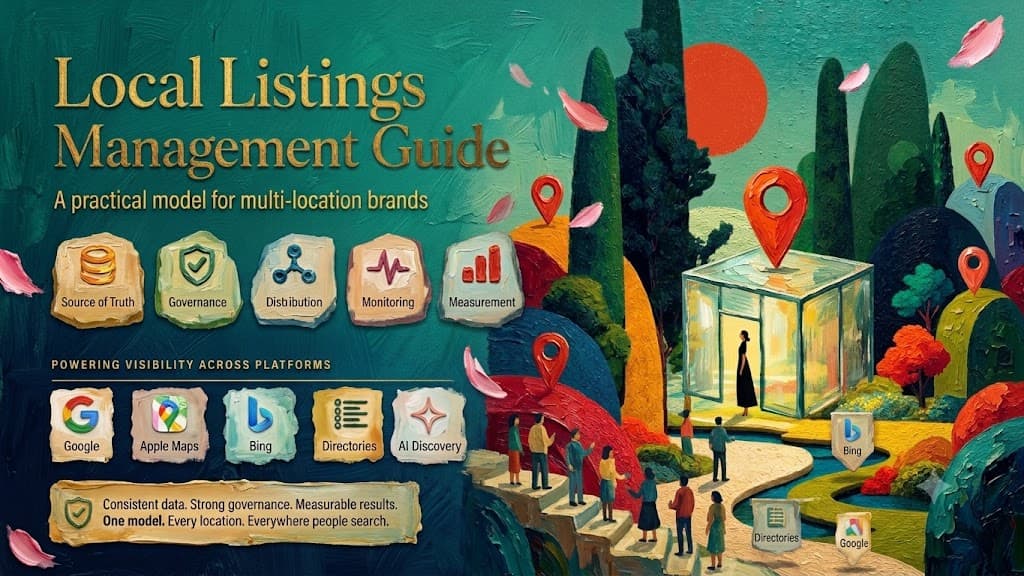
A business listing management checklist is an ordered ops runbook: lock the canonical location record, claim priority profiles, fix material NAP/hours/category errors, push event-driven updates, and verify that public pages match the source — then burn down duplicates and ownership gaps. Use this page when you need steps; use What is business listing management? when you need the definition hub.
This checklist is intentionally not another "what is" article and not a software ranking. It assumes you already know why listings matter and need a repeatable sequence for single-location or multi-location work.
Who this checklist is for
- Operations or marketing owners who maintain Google, Apple, Bing, and a short list of directories
- Multi-location coordinators preparing holiday hours, openings, or relocations
- Agencies inheriting messy publisher access and needing a cleanup order
- Teams evaluating whether to stay manual or add software / a managed desk
Master checklist (print-friendly)
Work top to bottom. Do not start with random directory submissions.
A. Source of truth
- Assign a unique internal location ID to every active site.
- Record approved business name (matches real-world / signage rules).
- Record full address or documented service area.
- Record main customer-facing phone (and department phones if required).
- Record location website URL pattern.
- Record regular hours.
- Record known special/holiday hours or a calendar owner.
- Record business status (open / temporary closed / permanent closed / coming soon).
- Record primary category and allowed secondary categories.
- Record who may approve changes (corporate vs local).
B. Priority publisher inventory
- List the priority publisher set for this brand (usually Google, Apple, Bing, plus industry-relevant directories and any social profiles that show NAP/hours).
- For each location × publisher, note: exists? claimed? owner email? last verified date?
- Flag personal-email ownership for transfer.
- Flag duplicates or near-duplicates for a separate queue.
C. Claim and access
- Claim or verify Google Business Profile where eligible.
- Claim or request management for Apple location records.
- Claim or update Bing Places.
- Claim priority directories (for example Yelp where relevant).
- Ensure Meta/Facebook location information is not contradicting NAP/hours if the Page is customer-facing.
- Store credentials in a company vault; remove departed users.
D. Correct material errors first
- Fix wrong status (especially closed vs open).
- Fix wrong address / pin.
- Fix wrong phone.
- Fix wrong name (no keyword stuffing).
- Fix regular hours mismatches.
- Fix primary category mismatches.
- Fix wrong website URL.
- Leave minor punctuation differences for later unless they confuse identity.
E. Complete useful fields
- Add truthful attributes customers care about.
- Add services or departments that are accurate.
- Add photos only when they represent the current location.
- Avoid filling fields with marketing fiction to chase a "score."
F. Event pushes
- Before holidays: load special hours from the approved calendar.
- On phone changes: update source, then priority publishers the same day.
- On openings: run pre-open create/claim; flip status when truly open.
- On relocations: update/migrate per platform rules; handle the old location.
- On permanent closure: set status correctly across priority publishers.
G. Verify public results
- Distinguish submitted vs published vs rejected.
- Spot-check a sample of locations on Google, Apple, and Bing after bulk changes.
- Log failures into an exception queue with an owner and due date.
H. Duplicates and debt burn-down
- Maintain a duplicate queue (URL/profile ID, evidence, requested action).
- Request merges/suppressions where the platform supports them.
- Re-check monthly until the queue is empty or accepted as residual risk.
- Document unresolved items for leadership — do not hide them in email.
Single-location fast path (30–90 minutes)
If you have one stable site, compress the master list:
- Write the canonical NAP, hours, category, URL, and status in one note.
- Claim Google, Apple, and Bing (and one industry directory if customers use it).
- Make the public profiles match the note.
- Add special hours if a holiday is within two weeks.
- Confirm no obvious duplicate pins on Google.
- Record which email owns each profile.
Then stop. You do not need a hundred directories.
Multi-location weekly rhythm
| Cadence | Activity |
|---|---|
| Daily (as needed) | Process urgent status/phone/hours tickets from operations |
| Weekly | Exception queue review (rejects, duplicates, ownership) |
| Monthly | Spot-check sample of public profiles vs source file |
| Seasonal | Holiday hours project with verify sign-off |
| Per event | Opening / move / closure playbook |
Evidence table: checklist outputs worth keeping
| Artifact | Why it matters |
|---|---|
| Location source export | Settles arguments about "what is correct" |
| Publisher ownership map | Prevents lockout when staff leave |
| Exception queue | Makes silent failures visible |
| Holiday verify sample | Proves special hours actually published |
| Duplicate log | Tracks long-running platform debt |
RACI sketch for multi-location brands
| Activity | Corporate listings owner | Operations | Local manager | Agency/desk |
|---|---|---|---|---|
| Canonical name/category policy | A/R | C | I | C |
| Hours & status truth | C | A/R | C (propose) | R (publish) |
| Publisher ownership vault | A/R | I | I | C |
| Duplicate escalations | A | C | I | R |
| Holiday hours project | A | R (calendar) | C | R (publish/verify) |
R = responsible, A = accountable, C = consulted, I = informed. Adjust to your org chart; the point is that "everyone edits Google" is not a RACI.
Failure modes this checklist prevents
| Failure | Checklist control |
|---|---|
| Agency owns all logins | Access vault + ownership map |
| Holiday hours only on website | Event push + verify sample |
| Two open pins after a move | Relocation steps before coverage expansion |
| Spreadsheet disagrees with GBP | Source-of-truth first |
| Silent rejected edits | Submitted vs published distinction |
Minimal tools (optional)
You can run the checklist with:
- A spreadsheet or warehouse table for locations
- A password manager / shared vault for publisher access
- Calendar reminders for seasonal hours
- Optionally, listing software when fan-out and permissions justify it
Software selection is out of scope here — see the software shortlist after the process exists.
How this checklist maps to the definition hub
| Checklist block | Definition hub section |
|---|---|
| Source of truth | What information should have a single source of truth? |
| Include packages | What does business listing management include? |
| Workflow | How should a business listing management workflow run? |
| Done criteria | What does "done" look like for a US brand? |
Related reading
- What is business listing management? — definition hub
- NAP consistency in business listing management
- Business listing management vs local SEO
- Business Listing Management Guide
- How to audit business listings
Frequently asked questions
Is this checklist the same as a local SEO checklist?
No. This runbook covers structured location profiles and publish/verify operations. Local SEO also includes on-page, links, and broader visibility work — see Business listing management vs local SEO.
Do I need software to use this checklist?
No. A spreadsheet can run it for smaller footprints. Software helps when location count, permissions, and publisher fan-out make manual work unreliable.
What should I do first if everything is broken?
Fix source-of-truth and status/address/phone errors on priority publishers before expanding directory coverage.